
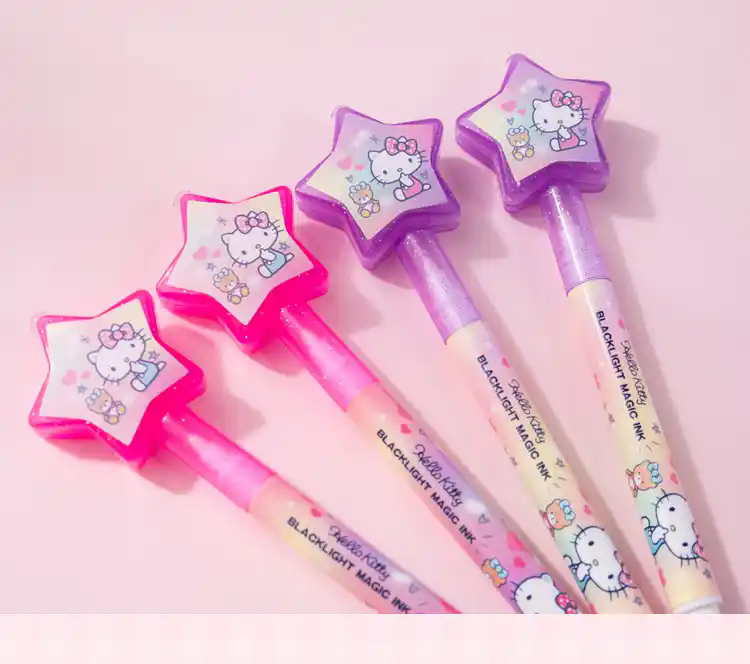
Effective Calibration Methods for LED Light Pen Brightness Decay
LED light pens are widely used in presentations, design work, and daily note-taking. Over time, users may notice a gradual decline in brightness, which can affect visibility and usability. This decay is often caused by natural aging of the LED components, voltage fluctuations, or environmental factors. Fortunately, several calibration methods can restore optimal brightness without requiring specialized equipment.
Understanding the Causes of Brightness Decay
Before calibrating, it’s essential to identify why the LED light pen’s brightness has diminished.
- LED Aging: Like all diodes, LEDs degrade with use. The luminous efficacy decreases as the semiconductor material wears down, leading to reduced light output.
- Voltage Instability: Inconsistent power supply, whether from batteries or external sources, can cause fluctuations in brightness. Over time, this strains the LED and accelerates decay.
- Environmental Factors: Exposure to high temperatures, humidity, or dust can impair LED performance. For instance, heat builds up in poorly ventilated pens, reducing efficiency.
Calibration Through Current Adjustment
One of the most straightforward ways to recalibrate brightness is by modifying the current flowing through the LED.
- Step 1: Locate the Current Regulator: Many LED light pens have a built-in resistor or driver circuit that controls current. Open the pen carefully (following manufacturer guidelines if available) to access this component.
- Step 2: Use a Multimeter: Set the multimeter to measure current (in milliamps) and connect it in series with the LED circuit. Record the baseline reading.
- Step 3: Adjust the Resistor: If the current is below the LED’s rated range (typically 10–20 mA for small pens), replace the resistor with a lower-value one to increase current. Conversely, use a higher-value resistor if the current is too high.
- Step 4: Test and Fine-Tune: Reassemble the pen and turn it on. Observe the brightness. Repeat adjustments until the desired level is achieved, ensuring the current stays within safe limits to avoid overheating.
Pulse Width Modulation (PWM) for Precise Control
For pens with digital controls, PWM offers a sophisticated way to calibrate brightness without altering hardware.
- How PWM Works: PWM rapidly switches the LED on and off at a high frequency. By adjusting the ratio of “on” time to “off” time (duty cycle), the perceived brightness changes. A 50% duty cycle, for example, makes the LED appear half as bright.
- Implementation: If the pen supports firmware updates or has adjustable PWM settings, access the control interface (via buttons or a companion app). Increase the duty cycle for higher brightness or decrease it for dimmer light.
- Advantages: PWM extends LED lifespan by reducing heat generation during dimming. It also allows for smooth, step-less brightness adjustments.
Environmental and Maintenance-Based Solutions
Sometimes, brightness decay isn’t due to the LED itself but external factors. Simple maintenance can significantly improve performance.
- Cleaning the Lens and Housing: Dust or fingerprints on the lens can block light. Use a soft, lint-free cloth to gently wipe the surface. For stubborn grime, dampen the cloth with isopropyl alcohol (70% or higher) and dry thoroughly.
- Improving Ventilation: If the pen feels warm during use, heat may be trapped inside. Store it in a cool, dry place and avoid covering the ventilation holes (if present).
- Battery Management: Weak or dying batteries can cause inconsistent brightness. Replace old batteries with fresh ones and avoid mixing different battery types. For rechargeable pens, ensure the battery is fully charged before use.
Advanced Calibration for Color Consistency
In multi-color LED pens, brightness decay may affect color accuracy. Calibrating each color channel ensures balanced output.
- Color Channel Adjustment: Use a colorimeter or smartphone app (with color detection features) to measure the brightness of each color (red, green, blue). Note any discrepancies.
- Software Calibration: If the pen connects to a computer or device, access its color settings. Adjust the intensity of each channel until the colors appear uniform.
- Hardware Calibration: For pens with individual color resistors, follow the current adjustment method for each channel. This requires soldering skills and should be done cautiously.
By addressing the root causes of brightness decay and applying these calibration techniques, users can restore their LED light pens to optimal performance. Regular maintenance and mindful usage further prolong the device’s lifespan, ensuring reliable illumination for years to come.
We are factory direct gifts-has established with many partner from all over the world and get more and more fame and approval,which makes us very sucessful in this Filed. Best Quanlity,Custom made logo and style Design,Competive Price,instant offer,delivery goods in time and perfect quanlity control wom us more customer and increace rate.
We can accept small and Wholesale order From you which is our advantage that other supplier can’t supply.Today.Cotact us for getting best offer for your promotion.
Our Advantage
Small order is available for you which most supplier don’t offer,that is our most advantage,better lead time and quick delivery with double check before ship win us more and more customer.
About Payment
We can accept T/T,West Union,MoneyGram/LC.
About MOQ
There is no strictly instructrution,pls contact us Feel free to get the offer.
PLS CONTACT US FEEL FREE IF YOU HAVE ANY QUESTION
Our Service
Our Advantage:
7*24hours service
Experienced Team
Free mock up and urgent delivery
Quality assured- 3 times inspect for you.
Free sample,
Official website address:shinlygifts.com
